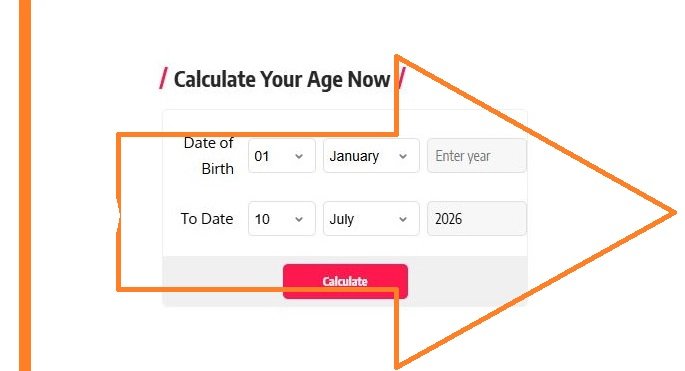
This age calculator is designed to determine your current age based on the information provided in the ‘Date of Birth’ field. Additionally, you can find out your age at a specific point in time by entering a chosen date in the ‘Current Age or Age as of’ field.
This calculator can also be used to determine the age of historical monuments or vintage/collectible items. For such calculations, enter the date the monument’s construction was completed or the item was purchased in the ‘Date of Birth’ field, and enter the current date in the ‘Current Age or Age as of’ field to find out the age of the monument or item.
The calculator displays age in years, months, and days. It also includes a ‘Singular Expression’ section, which presents the calculation in terms of months, weeks, days, hours, minutes, and seconds.
What is an Age Valculator?
An age calculator is a digital tool used to determine the age of a person, place, or object. It operates based on the information provided within the calculator.
How do I use this Age Calculator?
By default, the calculator displays today’s date in both the ‘Date of Birth’ and ‘Current Age or Age as of’ fields.
To find your current age or the age of an object, enter the correct details in the ‘Date of Birth’ field and leave the ‘Current Age or Age as of’ field as it is. Alternatively, if you wish to know what your age was, or will be, at a specific point in time, enter the correct details in the ‘Date of Birth’ field and input the desired date in the ‘Current Age or Age as of’ field. This method can also be used to determine the age of a place or an object.
Follow these steps to use the Age Calculator:
1. First Step: select the correct month, day, and year from the respective drop-down menus in the ‘Date of Birth’ field.
2. Next Step: select the correct month, day, and year from the respective drop-down menus in the ‘Current Age or Age as of’ field, or leave the field as is (depending on your requirements).
3. Next, click the ‘CALCULATE’ button to view the result.
4. To perform a new calculation, click the ‘Clear’ button to reset the calculator and enter new data as needed.
What does the Age Calculator’s Output Page Display?
1. The output page consists of two sections:
2. The main output shows the age in years, months, and days (or as applicable).
3. The ‘Singular Expression’ section breaks down the total duration/age into specific units, such as months and days, weeks and days, or simply days, hours, minutes, or seconds. How does this age calculator work?
India is a confluence of cultures, where various traditional calendars are observed. Prominent among these are the Saka Samvat, Vikram Samvat, and Hijri calendars. However, for official purposes, the Gregorian calendar is used in India and many other countries around the world.
This age calculator also uses the Gregorian calendar for its calculations. In this calendar, a year consists of 365 days, except for a leap year, which has 366 days. The calendar year is divided into 12 months of varying lengths. Each month has either 30 or 31 days, except February, which has 28 days in a standard year and 29 days in a leap year. The system used by this calculator represents the most common method of determining age.
Here, a person’s age starts at zero, and they turn one year old only after 12 months have passed. Similarly, in any age calculation, the age increases by one year only after the completion of 12 months from the date of birth or the starting date.

Download the CMI Times App for Free From the Google Play Store